

A Journey from Pro to Air
A Familiar Warning: The Battery’s Final Bow
It started with a simple alert: my MacBook Pro’s battery would only charge up to 80%. The message was clear—Apple recommended a battery service, meaning it was time for a replacement.
Though I could force a full charge temporarily, it was a recurring hassle. Checking the battery cycle count, I saw it had reached 1,011 cycles, just over the 1,000-cycle benchmark for this model. That number marked the end of an era for my late 2019 MacBook Pro, which I purchased in January 2020. By May 2024, it had served me loyally for four years and four months.
Despite the battery’s decline, the MacBook Pro itself never faltered. Performance and functionality remained rock solid throughout its life. Only the battery had succumbed to time—a testament to Apple’s hardware reliability, but also a reminder that all devices eventually need attention. Now, I faced a decision: replace the battery, trade in the laptop, or move on to something new.
The Sentimental Value of a Well-Traveled Companion
This wasn’t just a computer—it was a companion that had traveled the world with me. Every dent and scratch told a story, making the decision to part ways more difficult. But practicality had to prevail.
Is Battery Replacement Worth It?
Once a battery exceeds its cycle count, its ability to hold a charge drops steadily. From experience, I knew waiting would only bring frustration. Years ago, I might have ordered a third-party battery and replaced it myself, but those alternatives rarely lasted as long as the original. This time, I sought an official estimate from Apple, which was easy to obtain online.
The cost? AUD 409—about 18% of the laptop’s original price. That’s a significant sum for a single component. It reminded me of the dilemma Tesla owners face when confronted with battery replacement costs. While not as extreme, it still made me pause.
Exploring the Trade-In Option
Apple’s trade-in program offered another path. After submitting my MacBook’s serial number and condition details, the estimate also landed at around 18% of the original price—an odd coincidence. However, with two minor corner dents and a failing battery, I doubted I’d receive the full amount. Selling the laptop second-hand would likely fetch a better return.
The Allure of New Technology
Five years is a long time in tech. Today’s MacBooks boast significant advancements over my 2019 model. The most striking change is Apple’s move from Intel processors to its own Apple Silicon chips, starting with the M1 in 2020 and now up to the M3. Industry reviews are unanimous: the performance leap is dramatic, especially for tasks like photo and video editing, where file sizes and quality have soared.
Software now runs natively on Apple Silicon, squeezing every drop of performance from the hardware. For users who push their machines—editing large videos, running intensive applications—the difference is night and day. Even for everyday tasks, the new chips promise speed and efficiency.
A Leap in Display Technology
While raw computing power is crucial for some, display quality is something every user notices. The latest MacBook Pro models offer stunning improvements: higher brightness, richer colors, and smoother refresh rates. The difference is immediately apparent, whether you’re browsing the web or editing high-resolution images.
| Display | 2019 MacBook Pro 13 | 2024 MacBook Air 13 M3 | 2024 MacBook Pro 14 |
| Resolution | 2560 x 1600 | 2560 x 1664 | 3024 x 1964 |
| PPI (pixels per inch) | 227 | 224 | 254 |
| Brightness (nits ) | 500 | 500 | 1000 – 1600 |
However, the new entry-level MacBook Air M3 shares the same display specs as my outgoing MacBook Pro. Only the higher-end MacBook Pro 14-inch and above offer the enhanced screens. This became a key factor in my decision-making process.
MacBook Air vs. MacBook Pro: Making the Choice
The question was simple: Should I pay a premium for the MacBook Pro’s superior display, or opt for the more affordable MacBook Air? The new MacBook Pro with comparable processing power would cost at least AUD 2,699—about AUD 1,000 more than the Air. The Pro’s display is undeniably better, but the Air offers the same M3 chip at a much lower price.
I chose the MacBook Air 13.3-inch M3, retailing at AUD 1,799. I added AUD 300 to upgrade the RAM to 16GB, ensuring smoother performance for video editing and multitasking. The Air may lack the Pro’s dazzling display, but it’s a powerhouse in its own right.
Why I Chose the Air
Several factors tipped the scales in favor of the Air:
- Affordability: The Air offered top-tier performance at a more accessible price.
- Portability: As someone who travels frequently, the Air’s lighter design was a major plus.
- Battery Life: With up to 18 hours per charge, the Air far outlasts my old Pro.
- Improved Camera: The webcam has jumped from 720p to 1080p, a boon for video calls.
- Gaming Potential: The upgraded GPU (from 8-core to 10-core with the RAM bump) makes the Air capable of light gaming—a first for Apple’s entry-level laptops.
On May 5th, I ordered the new Air online, as the 16GB RAM configuration wasn’t available in stores. Just two days later, Apple announced the M4 chip—such is the pace of technology. Still, I had no regrets. My new MacBook Air was airfreighted from Shanghai and arrived swiftly.
Seamless Transition
Apple’s Migration Assistant made transferring data a breeze. In under two hours, my new Air was fully set up, with all files and settings intact. The transition was so smooth that I was back to work almost immediately.
First Impressions
The new MacBook Air impressed me from the start. Boot times and app launches were lightning-fast, and photo and video editing felt effortless. For basic tasks like web browsing and email, the difference was less pronounced, but certain sites loaded noticeably quicker. While I missed the Pro’s superior display, I knew this trade-off from the outset.
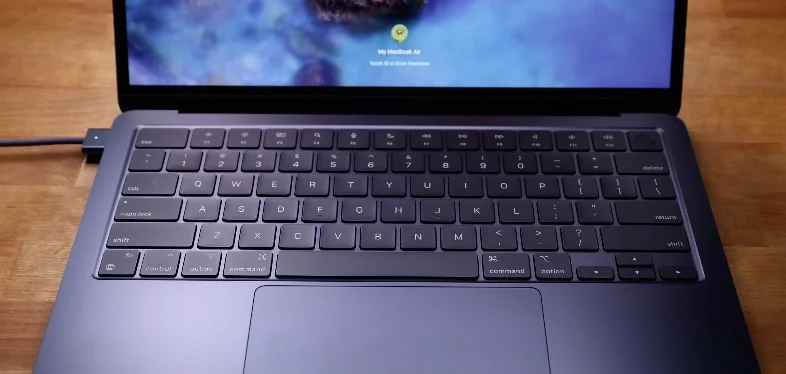
This wasn’t my first MacBook Air—far from it. I’d previously owned two 11-inch Airs, always appreciating their portability. The Air has long been my go-to for travel, and this new model continues that tradition.
Reflecting on the Decision
Looking back, replacing the battery on my aging MacBook Pro didn’t make sense. The cost was too high given the outdated technology, and the trade-in value was underwhelming. Selling the old MacBook privately will likely yield a better return.
The new MacBook Air M3, with its upgraded RAM, strikes the perfect balance between performance, portability, and price. The savings compared to the Pro will help fund a future iPad upgrade—my preferred device for movies, browsing photos and videos, and casual browsing at cafes.
A New Chapter Begins
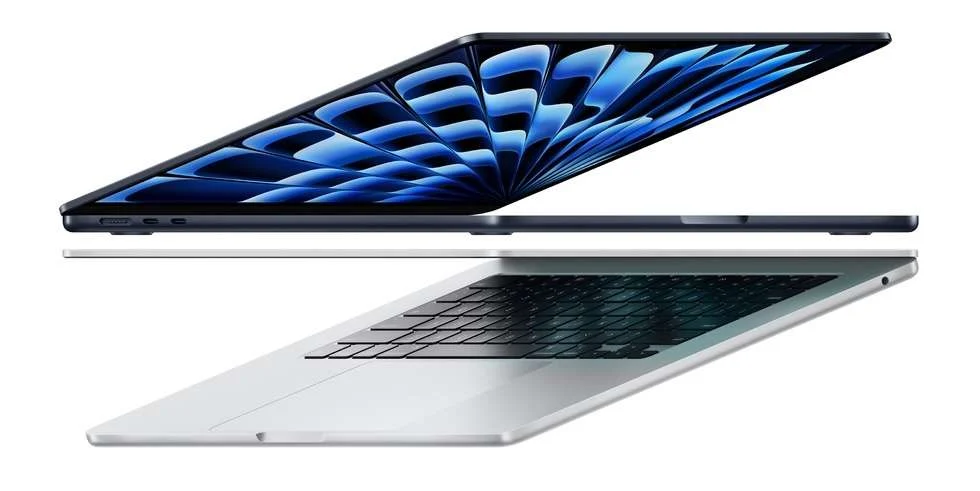
I’m delighted with my new MacBook Air. The midnight blue color adds a touch of style, and the device feels both familiar and refreshingly new. While it lacks the Pro’s advanced display, the performance boost and battery life more than make up for it. The Air’s fanless design means silent operation, though it may throttle under extreme loads—a trade-off I’m happy to accept for everyday use.
In Summary
- Battery replacement was too costly for an aging device.
- Trade-in value was lower than expected; selling second-hand is more lucrative.
- MacBook Air M3 offers the same processing power as the Pro at a much lower price.
- Upgraded RAM ensures smooth performance for demanding tasks.
- Portability and battery life make the Air ideal for travel and long workdays.
- Savings from choosing the Air over the Pro will go toward an iPad upgrade.
The cycle of technology never stops. As one MacBook chapter ends, another begins—this time, lighter, faster, and ready for new adventures.