
Apple Intelligence: A Hands-On Review of Apple’s Leap into AI
Apple’s foray into artificial intelligence, dubbed “Apple Intelligence,” marks a significant shift in how users interact with their devices.
Australia and New Zealand was gifted with an early release in December 2024, compared to many other countries, with Apple Intelligence enabled for MacBook Air and iPhone. I took my year-end holidays exploring its features, strengths, and quirks.
Here’s a comprehensive look at what Apple Intelligence brings to the table, why it matters, and how it compares to the competition.
What is Apple Intelligence?
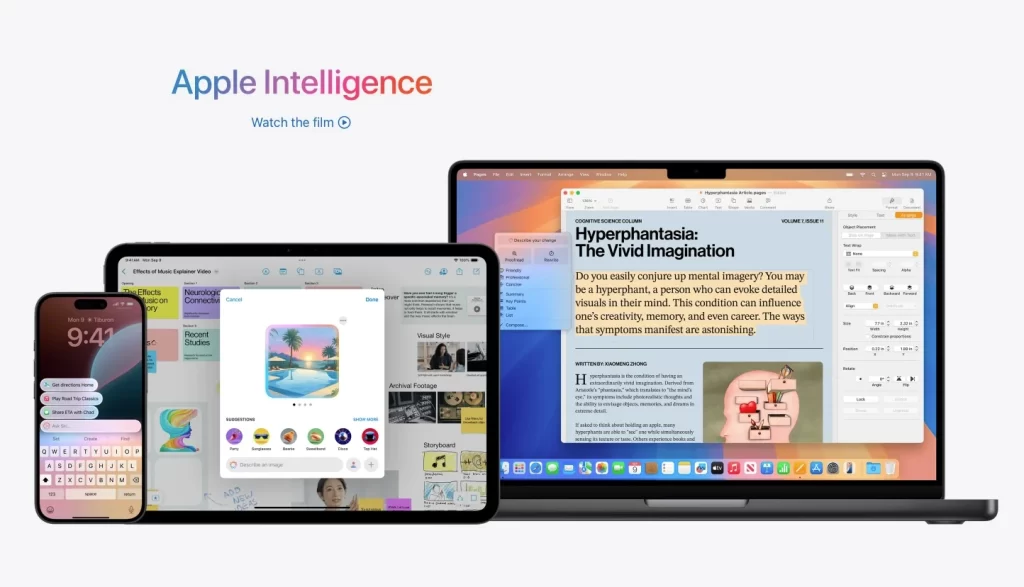
Apple Intelligence is Apple’s answer to the AI revolution, integrating generative AI capabilities directly into the core of iOS, iPadOS, and macOS.
- iPhone 15 Pro or iPhone 15 Pro Max;
- any iPad with A17 Pro or M1 and later;
- Mac with M1 or later. (Apple silicon chip)
Unlike Microsoft’s Copilot or Google’s Gemini, Apple’s branding is subtle but clever—AI is right there in the name. The technology leverages large language models (LLMs) to help users write, proofread, summarize, and personalize content across their devices, while also enhancing photos and streamlining daily tasks.
Device Compatibility and Availability
Apple Intelligence is not limited to the latest iPhone 16 series, as many initially believed. Supported devices include:
To use Apple Intelligence, your device needs to run the latest operating systems: iOS 18.1 or later, iPadOS 18.1 or later, or macOS Sequoia 15.1 or later. Availability is rolling out regionally, starting with the US and other English-speaking countries, with support for more languages expected by April 2025. If you’re outside a supported region, you can access Apple Intelligence by changing your device’s region settings.
First Impressions: Productivity Reimagined
From the outset, Apple Intelligence feels like a productivity supercharger. Its primary goal is to help users work smarter, not harder, by streamlining writing, organizing information, and enhancing media. The AI is designed to be an enabler, not a takeover—think of it as an evolution of spellcheck and grammar tools, but vastly more powerful and context-aware.
Key Themes
- Productivity and Efficiency: Automate and polish everyday tasks.
- Personalization: Adjust tone, sentiment, and context to match your style.
- Utility: New tools like photo clean-up, advanced search, and visual intelligence.
Standout Features
- Writing tools, the main feature covering all forms of text such as emails, documents, notes and messages. With Chat GPT option
- Enhancing Mail and Messaging with AI driven summaries and smart replies. And prioritising emails
- Enhancing Siri with AI to respond more naturally and getting the context right. With Chat GPT option
- Summaries for notifications, webpages, notes, recorded phone calls and audio recordings
- Natural language image search, cleanup tool and memory movie creation for iPhotos
- Visual Intelligence with Camera Control allowing for information on objects and places that are in the frame. With Chat GPT option
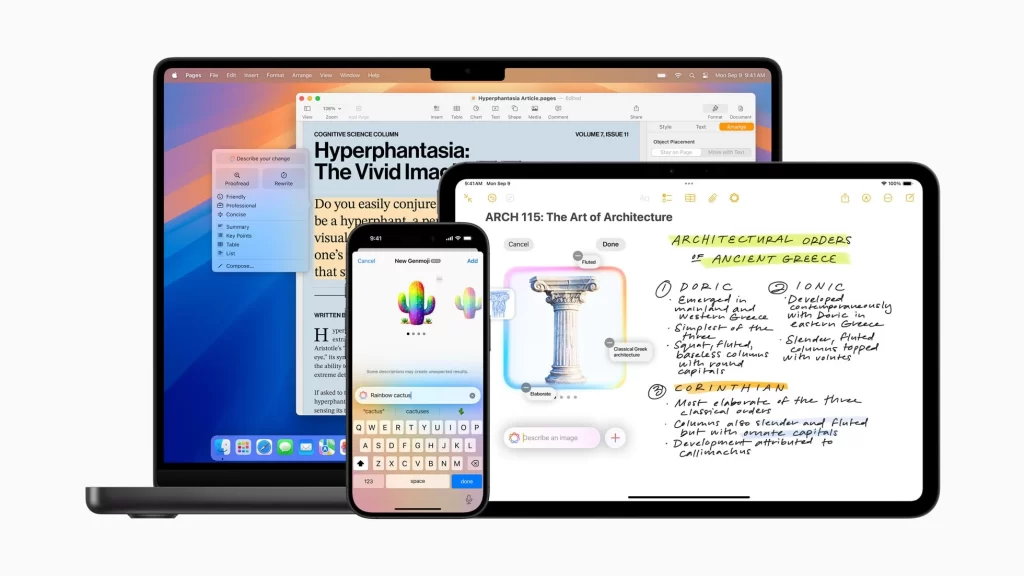
- Image playground, a fun creative tool using your image or image of someone
- Custom emojis called Genmoji and drawing on Notes – limited to iPhone devices from 15 pro onwards
1. Writing Tools
Apple Intelligence’s writing tools are its crown jewel. Whether you’re composing an email, drafting a document, or jotting a note, the AI can rewrite, summarize, or adjust the tone of your text. You can choose between friendly, professional, or concise styles, and even compare AI-generated drafts to your own. The integration of ChatGPT as an option further elevates the quality and relevance of suggestions.
2. Enhanced Siri
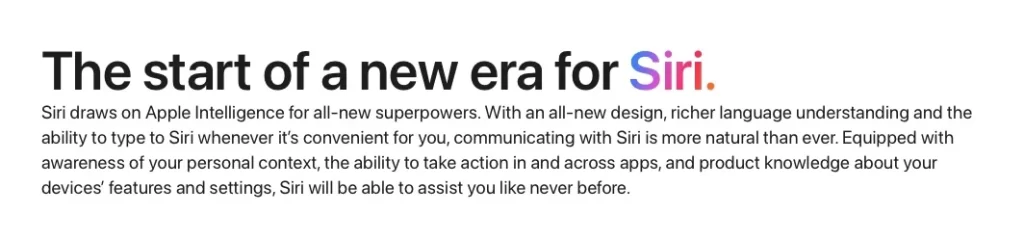
Siri has undergone a dramatic transformation. Now powered by LLMs, Siri understands context, follows natural language, and is simply more helpful. For the first time, Siri can suggest switching to ChatGPT if it determines a better answer is available, and users can set their preferences to automatically use ChatGPT for certain queries. This flexibility makes Siri a genuinely useful assistant, whether you’re dictating a message or searching for information hands-free.

3. Smarter Mail and Messaging
AI-driven summaries and smart replies in Mail and Messages help you prioritize important emails and respond faster. The system can summarize lengthy threads, suggest concise replies, and even highlight urgent messages. While prioritization is useful for some, it can be toggled off if you prefer to see all messages in chronological order.
4. Summaries Everywhere
Notifications, web pages, notes, phone calls, and audio recordings can all be summarized on demand. This feature is particularly valuable for distilling long articles or research documents into digestible key points. While not everyone will need summaries for every notification, Apple provides granular controls to enable or disable this feature as needed.

5. iPhotos: Clean Up and Visual Intelligence
The new Clean Up tool in iPhotos is a game-changer for casual and serious photographers alike. With a few taps, you can remove distracting elements from photos—no need for expensive software or advanced editing skills.
The AI fills in the background seamlessly, and while it’s not perfect every time, the results are impressive for an integrated tool. Additionally, you can search your photo library using natural language, such as “girl with red hat in Bali,” making it easier than ever to find specific memories.


Visual Intelligence with Camera Control is another highlight. Point your camera at a café, landmark, or object, and instantly get information like address, contact details, opening hours, and even the menu. This feature brings real-world context to your device in real time.
6. Creative Fun: Image Playground and Genmoji
Image Playground lets you create playful images using your own photos or those of friends. While it may feel gimmicky to some, it offers a fun way to experiment with AI-generated art. Genmoji, Apple’s custom emoji tool, lets you craft personalized emojis that reflect your mood or style—adding a unique touch to messages and notes.

Features that Miss the Mark
Not every feature is a home run. Image Playground, for example, feels more like a novelty than a necessity, and you may find yourself using it only occasionally. Summaries for notifications, while innovative, can be overkill unless you’re inundated with information daily. Email prioritization, though enhanced by AI, may not suit users who prefer to manually manage their inboxes.
Privacy: Apple’s Unwavering Commitment
Apple’s approach to privacy remains steadfast. Most AI processing happens on-device, using models downloaded directly to your device after activation. For tasks requiring cloud processing, Apple uses Private Cloud Computing (PCC), ensuring that only the device owner can access the data—neither Apple nor third parties have access. This architecture mirrors Apple’s philosophy seen in Apple Pay, prioritizing user privacy without sacrificing convenience or functionality.
How Apple Intelligence Compares
Apple was not the first to market with generative AI—Microsoft’s Copilot and Google’s Gemini arrived earlier. Some industry experts argue that Gemini is technically more advanced, but Apple’s approach is unique. Rather than focusing on a chatbot, Apple integrates AI as a suite of enhancements to existing features, making the technology feel like a natural extension of the device rather than a separate entity.
Recommendations and Real-World Use
If your device is compatible, Apple Intelligence is worth exploring. Start by experimenting with the writing tools—try rewriting emails, adjusting tones, and comparing AI drafts. Next, make Siri your go-to assistant, especially when you’re on the move and can’t type easily. The Clean Up tool in iPhotos is invaluable for travel photos or special occasions, letting you salvage shots that would otherwise be ruined by distractions.
Memory movie creation in iPhotos is another feature to try, especially after using Clean Up to perfect your images. The combination of AI-powered search, editing, and storytelling makes organizing and sharing memories effortless.
Final Thoughts: The Future of Apple Intelligence
Apple Intelligence is still in beta, and more features are on the horizon. As language support expands and the AI models mature, expect even deeper integration and smarter capabilities. While some tools feel experimental, the core features already offer tangible benefits in productivity, creativity, and convenience.
Apple’s privacy-first approach sets it apart, and its seamless integration into the Apple ecosystem ensures that users can adopt AI at their own pace. Whether you’re a power user or just curious about the latest tech, Apple Intelligence is poised to become an indispensable part of the Apple experience.
Enjoy the journey of discovery—Apple Intelligence is here to help you work smarter, create more, and personalize your digital life like never before.