
Unlocking the Power of Compact Cameras: A Modern Guide to Mastering Your Gear
Compact cameras have come a long way from being simple point-and-shoot devices for beginners. Today, they rival DSLRs in exposure control, image quality, and advanced features. As these pocket-sized powerhouses become the go-to choice for travelers, vloggers, and hobbyists, knowing how to handle and maximize their potential is essential. This guide distills hard-earned lessons and practical tips to help you get the best results from your compact camera—whether you’re capturing fleeting moments on vacation, creating content for social media, or documenting daily life.
Why Compact Cameras Matter More Than Ever
The landscape of photography has shifted dramatically. High-end compact cameras now offer features once exclusive to bulky DSLRs: sophisticated exposure controls, impressive low-light performance, and even interchangeable lenses in some models. Many users can’t tell the difference between shots from a modern compact and a mid-range DSLR. Plus, the integration of smart sensors and ready-made shooting templates means even novices can achieve professional-looking results.
Perhaps the most significant leap is the fusion of still photography and video in a single device. Today’s compacts are not just for snapshots—they’re powerful video cameras, too. This convergence is a game-changer for content creators and casual users alike, making it easier than ever to document life in motion.
Choosing the Right Compact: Features That Matter
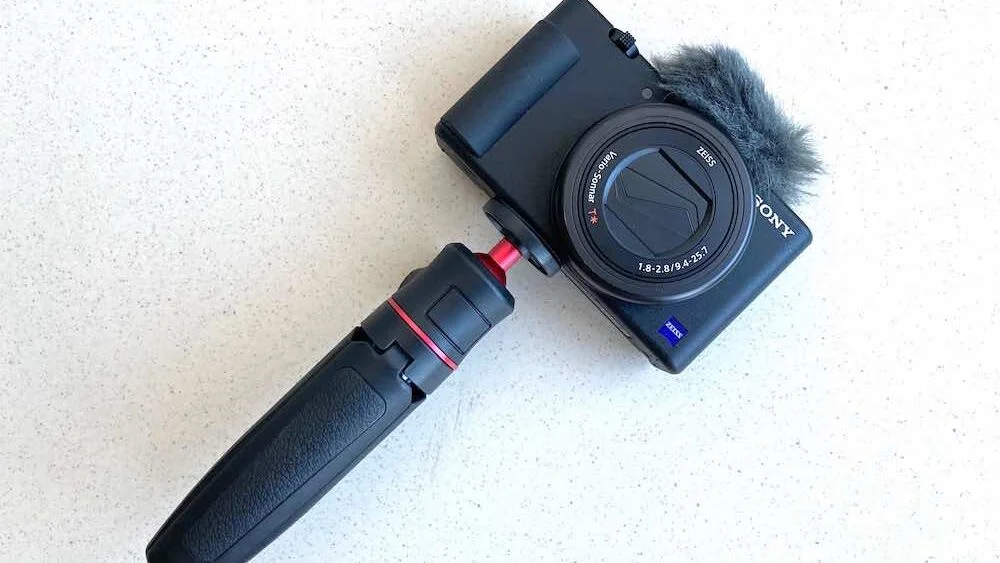
Take, for example, the Sony ZV1—a camera that continues to impress users with its versatility. Its articulating LCD screen is perfect for vloggers, but just as useful for amateurs and prosumers who want flexible framing options. Cameras like this are no longer mere backups; they’re the main event for many photographers.
Modern compacts also excel in low-light conditions, a realm once dominated by expensive DSLR lenses. Thanks to advanced sensors and intelligent programming, you can now capture vibrant scenes at dusk or indoors without lugging around extra gear.
Editing on the Go: The Rise of Mobile Photo Tools
The evolution of compact cameras goes hand in hand with advances in photo editing. Free, powerful editing apps are now standard on smartphones, tablets, and computers. Whether you’re an Apple or Android user, you have access to intuitive tools that can transform good photos into great ones. With a capable compact camera and robust editing apps, you have a complete creative studio in your pocket.
Essential Tips for Handling Your Compact Camera
1. Master the Grip: Overcoming Awkward Handling
Unlike DSLRs, which are designed for ergonomic handholding, compact cameras can feel awkward—even in small hands. Their slim bodies and lightweight design make them less stable, especially for precise shots or long exposures.
Solution: Invest in a sturdy mini tripod or selfie stick. Originally designed for smartphones, these accessories have become invaluable for compact camera users. They act as handheld monopods, providing much-needed stability for both photos and videos. Just be mindful when panning during video—move slowly to avoid shaky footage.
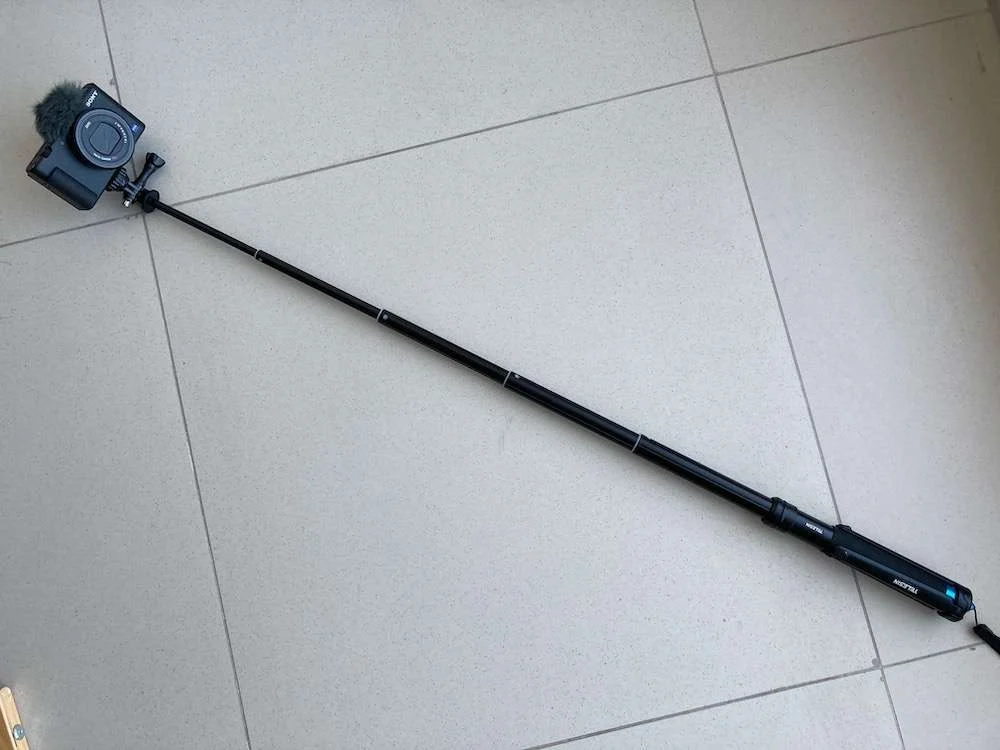
Try shooting a series of photos with and without a grip. You’ll notice immediately how much easier it is to frame shots and maintain stability with a tripod or selfie stick. These tools also allow you to shoot from creative angles—over crowds, fences, or at ground level—without contorting your body.
Many manufacturers now offer dedicated grips with built-in controls, like Sony’s optional handheld grip for the ZV1. While these can be pricey, they underscore the importance of stable handling for today’s compact cameras.
2. Know Your Gear: Read the Manual—Again
It’s easy to forget the finer points of your camera’s features, especially after a break from shooting. Before any trip or important event, take time to re-familiarize yourself with your camera’s settings and options. This simple step can prevent missed opportunities and ensure you make the most of your equipment.
3. Power Up: Always Charge Your Batteries
Few things are more frustrating than running out of battery during a shoot. Always charge your original manufacturer’s battery and any third-party spares before heading out. Remember, third-party batteries are cheaper but often have shorter lifespans and can lose charge even when not in use. Bring extras, and don’t risk missing a once-in-a-lifetime shot due to a dead battery.
4. Don’t Forget the “Dead Cat”: Prioritize Audio Quality
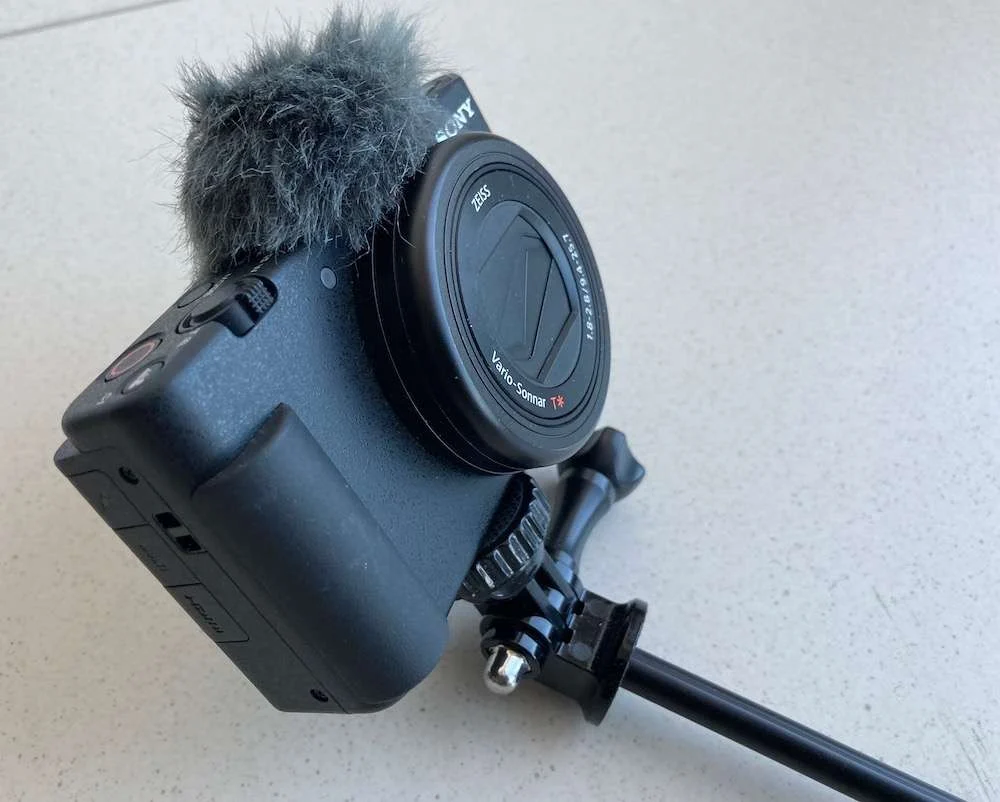
For those who shoot video or vlog, audio quality is as important as visuals. Wind noise can ruin otherwise perfect footage. Always carry a wind muffler—commonly called a “dead cat”—to reduce wind interference. No amount of editing can fully fix poor audio, and you don’t want to mute or overdub irreplaceable scenes. Make it a habit to pack your muffler, especially for travel and outdoor shoots.
5. Watch the Recording Light: Avoid Missed Moments
It’s a common mistake: thinking you’ve hit record, only to find out later that the camera wasn’t rolling. This happens more often when using a selfie stick or tripod, as the recording light may be out of sight. Always double-check that the red recording light is on before you start. Missing a key moment is not just disappointing—it can be embarrassing if others are involved and expect to see the footage.
6. Sharpen Your Video Skills: Practice Makes Perfect
Shooting compelling video takes practice. Before important events, brush up on your technique. Hold the camera firmly, pan slowly, and keep clips short and dynamic. Unless you’re filming a performance or extended scene, aim for brief, varied shots that capture the essence of the moment without dragging on.
7. Embrace Digital Freedom: Shoot More, Edit Later
There’s no cost to taking multiple photos or short video clips. Capture scenes from different angles, heights, and perspectives—eye level, low to the ground, or overhead. You might be surprised which shots stand out during editing. The more variety you capture, the better your chances of finding that perfect image.
8. Plan for Anchor Shots: Make Them Count
Every trip or event should have a few “anchor shots”—the standout images that define your experience. These require planning, careful composition, and sometimes research. Think about what scenes or moments will best tell your story, and prioritize them. These are the photos that end up on your wall or become the highlights of your social media feed.
9. Chase the Best Light: Timing Is Everything
Lighting can make or break a photo. Harsh midday sun creates extreme highlights and deep shadows, making editing difficult and often resulting in unnatural-looking images. The best times to shoot are just before and after sunrise or sunset, when the light is soft and colors are rich. These “golden hours” are ideal for both anchor shots and candid moments.
10. Maximize Every Opportunity: Capture the Unrepeatable
Travel and special events are often once-in-a-lifetime experiences. Take full advantage by being prepared, flexible, and creative. Use all the tools and techniques at your disposal to ensure you come home with images and videos you’ll treasure.
Final Thoughts
Compact cameras have evolved into sophisticated, versatile tools capable of producing stunning photos and videos. By mastering their handling and embracing modern editing workflows, you can consistently achieve professional results—no matter where your adventures take you. Remember, the best camera is the one you have with you, and with the right approach, your compact can deliver images that rival the best in the business.
So, whether you’re a seasoned photographer downsizing your kit, a vlogger looking for portability, or a traveler eager to document your journey, these tips will help you unlock the full potential of your compact camera. Happy shooting!